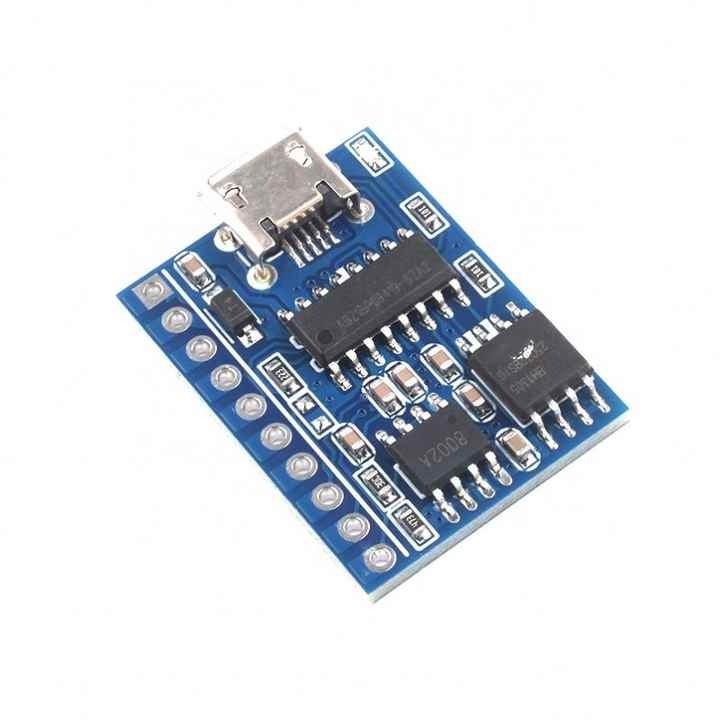


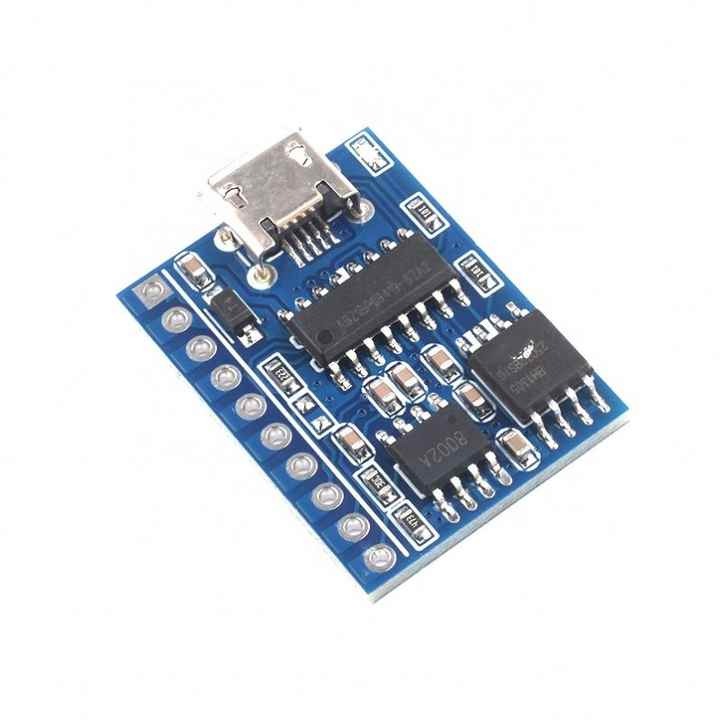
Product Introduction
| Module features |
1. Support MP3 WAV high-quality audio formats, beautiful sound. 2. 24-bit DAC output, dynamic range supports 90dB, signal ratio 85dB 3. Support two-wire serial port control, AD control 4. USB update voice files, no need to install drivers, no need to install softwareDirect copy, fast and convenient. Support XP system, WIN7, WIN8, WIN10 system. 5. Support previous song, next song, play, pause, stop, song selection, and other common function controls 6. Support free combination playback 7. Support 30-level volume adjustment 8. Support cycle number setting, more applications, more humanized 9. Dedicated BUSY signal output indication 10. Mature instructions and instruction analysis make the application more stable 11. Dedicated matching host computer, quick start, convenient debugging, automatic instruction generation |
| Updated voice content description |
| This module has a built-in USB interface, which can flexibly replace the voice content in SPI-flash, eliminating the trouble of installing a host computer to replace the voice of the traditional voice chip. SPI FLASH is directly simulated into a USB flash drive, just like copying a USB flash drive, which is very convenient. Any computer system can support it, while other ordinary copywriting can only support XP and WIN7 system voice update. |
| Connect the module with a USB data cable and plug it into the computer, the computer will automatically recognize it, as shown in the figure below: |
| Then double-click the new disk and copy the sound you want to place there. |
Product Parameters
| Name | Parameters |
| MP3WAV file format | Supports audio files with sampling rate of 8-48K and bit rate of 8-320kbps |
| USB interface | 2.0 standard (supports any computer operating system) |
| UART interface | Standard serial port, _3.3TTL level, baud rate 9600 |
| Input voltage | DC3.6-5.2V (4.2V recommended) |
| Rated current | Working current: 10MA |
| PCR size | 19*25mm |
| Operating temperature | -40 degrees ~ 85 degrees |
| Humidity | 5% ~ 95% |
Product Communication Instructions
1. Play (A2) Command: A2 Description: Sending this command at any time will start playing the current track from the beginning |
| 2. Pause (A3) Command: A3 |
3. Stop (A4) Command: A4 Return: None |
4. Previous song (A5) Command: A5 |
5. Next song (A6) Command: A6 |
6. Specify the track (A7) Command: A7: 00001 For example: A7: 00008 specifies to play the file named 00008 in the current memory The track number is from 00001 to 9999 |
7. Play by specifying the drive letter and path (A8) FLASH command: A8:02+path TF command: A8:01+path U disk command: A8:00+path This command has loose requirements for MP3 file names, both Chinese and English are acceptable, but only 8 bytes at most. Example 1: To play the MP3 file 00005 in the root directory of FLASH, A8:02/00002*??? A8:02 A8 is the command number, 02 means FLASH, /00002*??? is the path format Example 2: To play the apple.MP3 file recorded in MUSIC in FLASH, the command is, A8:02/MUSIC*/APPLE*??? A8:02 A8 is the command number, 02 means FLASH, /MUSIC*/APPLE*??? is the path format |
8. End playback (AE) Command: AE Description: This command can end the current operation in advance and will end the current playback If it is in the interlude, it will end the interlude in advance The playback will return to the original state |
9. Volume setting (AF): Command: AF:XX For example: AF:20 Set the volume to level 20 |
10. Volume plus (B0): Command: BO |
11. Volume minus (B1): Command: B1 |
12. Set loop mode (B4): Command: B4:XX For example: Set to single song stop: B4:01 |
13. Combination Play (B7) Combination play can only play files in the ZH folder, and the file names in the folder must be two digits Command: B7: XXXX (The colon is followed by the file name in the ZH folder) For example: B7: 01020504, the files named 01, 02, 05, 04 in the ZH folder will be played in this order |
14. End combination play (B8) Command: B8 Description: End combination play and return to the play state before combination |
Product Applications
Game basketball machine sound effects voice broadcast treadmill voice navigation, massage chair voice operation instructions, equipment failure prompts, equipment operation guidance voice, car safety voice warnings, public place voice prompts, business hall warm voice prompts
Product Description
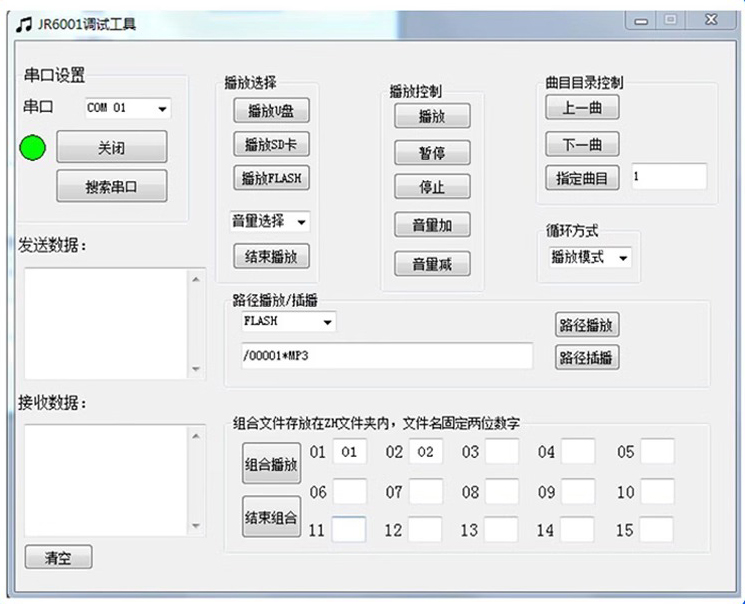
Dedicated supporting host computer, quick to use, easy to adjust, command automatically generated, as shown below:
Actual image of the product